Load the golden unit and measured units
Open the reference first, followed by the S2P files being evaluated. BenchReport overlays them on the same frequency axis.
Practical S-parameter workflow
An .s2p file records how a two-port RF device reflects and transmits signals across frequency. Comparing several files helps show whether production units follow a golden reference—and whether each unit meets a defined acceptance limit.
Three synthetic filters, one deliberate failure, and no file upload.
Open the reference first, followed by the S2P files being evaluated. BenchReport overlays them on the same frequency axis.
Use S21 for forward transmission or insertion loss, S11 for input reflection or return loss, and S12/S22 when the reverse path or output match matters.
Choose a start frequency, stop frequency, minimum or maximum rule, and threshold. The same rule is applied independently to every visible measurement.
A simple PASS or FAIL is not enough for diagnosis. Record the limiting value and the exact sampled frequency that caused it.
Carry the comparison chart, rule result, measurement identity and test context into a printable report for review.
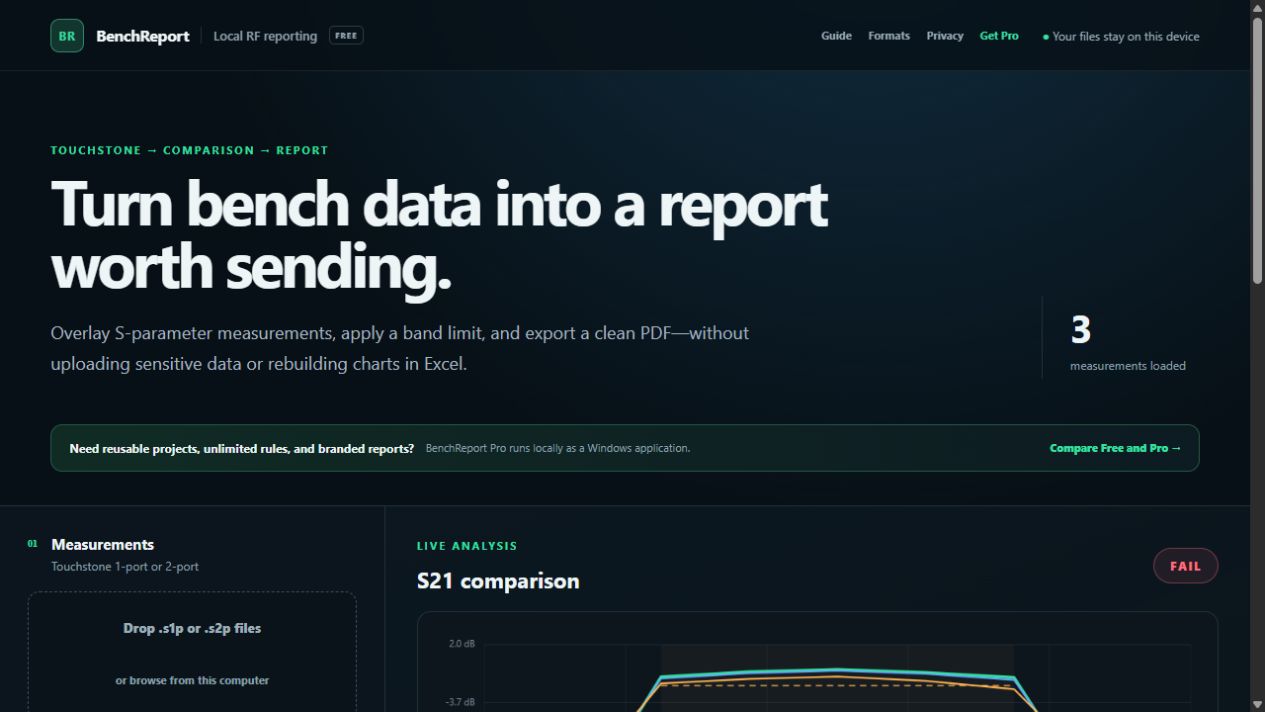
BenchReport comparing a golden filter with two units using synthetic S2P measurements.
The included sample applies an S21 minimum of −2.00 dB from 900 MHz to 1.1 GHz. Two measurements remain above the threshold. The deliberately degraded unit reaches −2.35 dB at 1.1 GHz and therefore fails.
| Measurement | Worst S21 | Frequency | Result |
|---|---|---|---|
| Golden reference | −1.20 dB | 1.100 GHz | PASS |
| Unit 017 | −1.45 dB | 1.100 GHz | PASS |
| Unit 042 | −2.35 dB | 1.100 GHz | FAIL |
Touchstone files can reveal device performance, design choices and production variation. BenchReport is a static browser application: parsing, plotting and limit evaluation happen on the device rather than sending measurement contents to a remote analysis service.
For more examples of passband, stopband and reflection requirements, read the S-parameter pass/fail limits guide.
Common Touchstone 1.0-style DB/angle, magnitude/angle and real/imaginary data with Hz, kHz, MHz or GHz frequency units.
Yes. S1P measurements can be viewed and evaluated using their S11 trace.
No. Limits are evaluated at the frequency samples present in the source file. The reported worst frequency is an exact sampled frequency.
Yes. The free edition supports three measurements and one acceptance rule. Pro adds unlimited measurements and rules, projects, templates and branded reports.
This workflow supports analysis and documentation; it does not replace a calibrated instrument, an approved test procedure or competent engineering review.
No account, installation or measurement upload required.